Key Takeaways
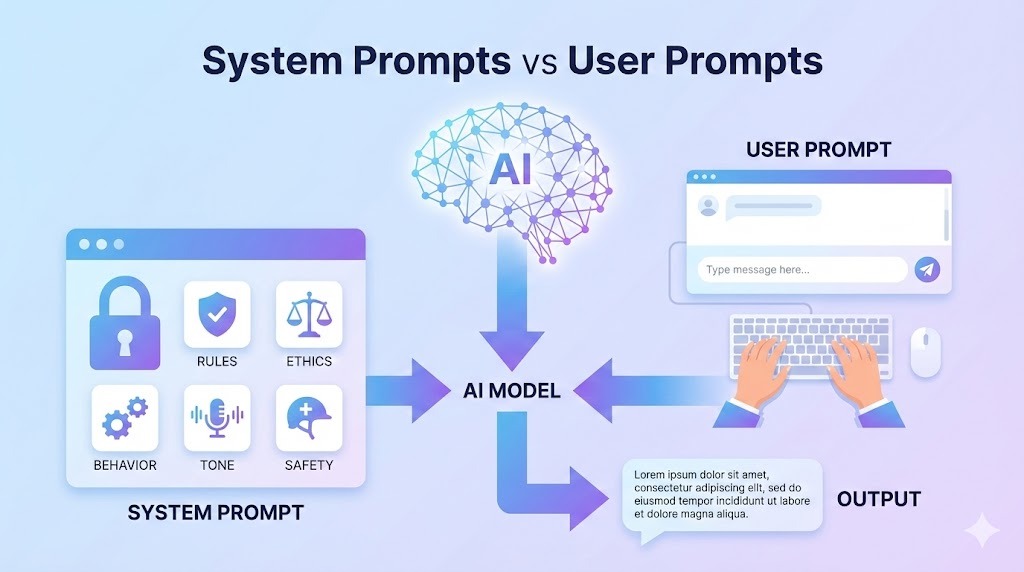
- System Prompts are the invisible 'operating system' instructions that define an AI's behavior before you even type a word.
- User Prompts are just the 'daily orders'; they cannot override the core System Prompt (the 'constitution').
- Understanding this hierarchy is the key to mastering advanced prompt engineering and building consistent AI agents.
- You can simulate system prompts in your own chats by using 'Persona Prompting' to enforce strict roles.
Introduction: Why Some AI Answers Feel “Smarter” Than Others
Have you ever noticed something strange?
- Two people use the same AI model (like ChatGPT or Claude).
- They ask almost the same question.
- Yet one gets a perfect, professional answer, and the other gets a generic or wrong response.
This difference is not luck. It’s not the model either. It’s the hidden control layer of AI prompts: System Prompts vs User Prompts.
Most users only see user prompts. Advanced users and developers control system prompts. Understanding the difference gives you power over AI behavior, not just AI output.
What Is a User Prompt?
A user prompt is the instruction or question you directly type into an AI tool. It’s the visible, flexible layer of communication.
Examples of User Prompts:
- “Explain prompt engineering”
- “Write a blog post about SEO”
- “Generate Python code for a calculator”
User prompts are:
- Visible to users
- Flexible and easy to change
- Interpreted after system rules
Think of it like this:
- System Prompt = Constitution
- User Prompt = Daily Orders
What Is a System Prompt? (Simple Explanation)
A system prompt is a background instruction that defines the AI’s role, behavior, tone, and limitations. It is usually invisible to the end user and set by the developer or platform.
System prompts define:
- AI’s role (e.g., “You are a helpful coding assistant”)
- Tone and personality (e.g., “Be concise and professional”)
- Rules and limitations (e.g., “Do not generate toxic content”)
- Output style priorities (e.g., “Always format as Markdown”)
System Prompt vs User Prompt (Clear Comparison)
| Aspect | System Prompt | User Prompt |
|---|---|---|
| Visibility | Hidden | Visible |
| Priority | Highest | Lower |
| Controls | Behavior & Rules | Task & Intent |
| Persistence | Long-term (Session/App) | One-time (Per message) |
| Who sets it | Platform / Developer | User |
Crucial Rule: No matter how good your user prompt is, it cannot violate the system prompt.
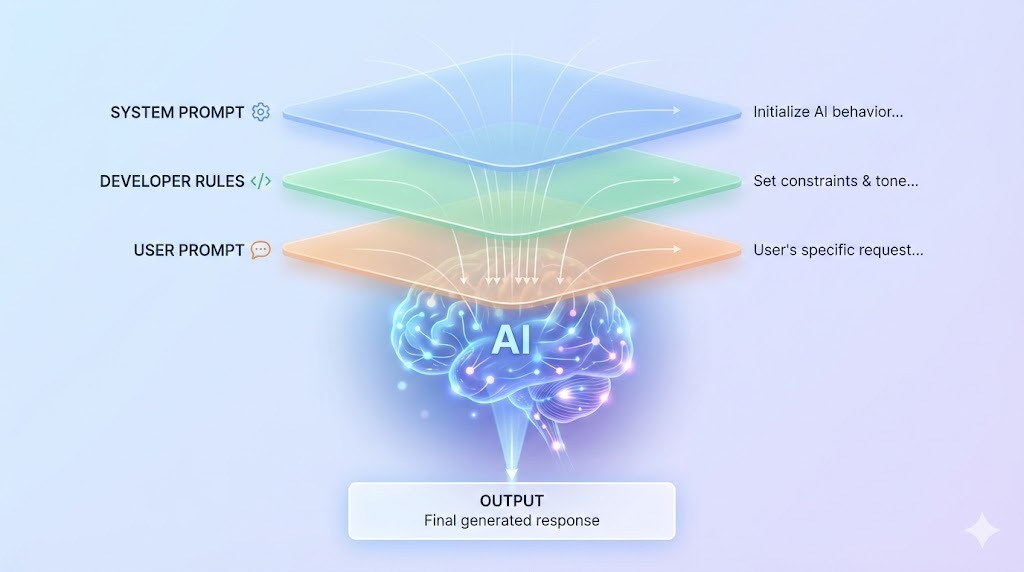
The Prompt Hierarchy (This Is Critical)

AI models follow instructions in a strict order of authority:
- System Prompt (Highest Authority)
- Developer Prompt / RAG Context
- User Prompt
- Tool / Context Data
This is why:
- AI refuses unsafe tasks.
- AI follows tone guidelines.
- AI stays within ethical limits.
Even if the user insists, the system prompt wins.
Why System Prompts Exist at All
Without system prompts, AI would be unpredictable, unsafe, consistent, and easy to manipulate. System prompts ensure safety, brand consistency, legal compliance, and reliable behavior at scale. They are the “operating system” that keeps the AI usable.
Real Example: Same User Prompt, Different System Prompt
Let’s see how changing the system prompt drastically alters the result for the exact same user request.
User Prompt: “Explain AI to a beginner.”
Scenario A:
- System Prompt: “You are a friendly teacher explaining concepts to children.”
- Output: Simple language, analogies, storytelling (“Imagine AI is like a robot brain…”).
Scenario B:
- System Prompt: “You are a technical researcher writing for engineers.”
- Output: Formal language, definitions, terminology (“Artificial Intelligence refers to…”).
Same user prompt. Completely different answers.
Why Most People Fail at Prompt Engineering
Most people fail because they only optimize their user prompts while ignoring system-level thinking. They don’t set roles clearly or define behavioral constraints.
Advanced Tip: You can simulate system prompts inside your user prompts.
Example:
“Act as an expert SEO writer. Follow strict factual accuracy. Avoid fluff.”
This instruction mimics a system prompt by establishing a “Persona” and “Constraints” before the actual task begins.
Can Users Access System Prompts?
Short answer: Usually no.
However, you can:
- Approximate system behavior using structured user prompts (like the example above).
- Use Tools that allow custom system prompts (like the OpenAI API, Anthropic Console, or Agent frameworks like AntiGravity).
- Chain Prompts to enforce rules manually.
Professional AI workflows rely heavily on custom system prompts to build reliable applications.
System Prompts in AI Agents & Automation
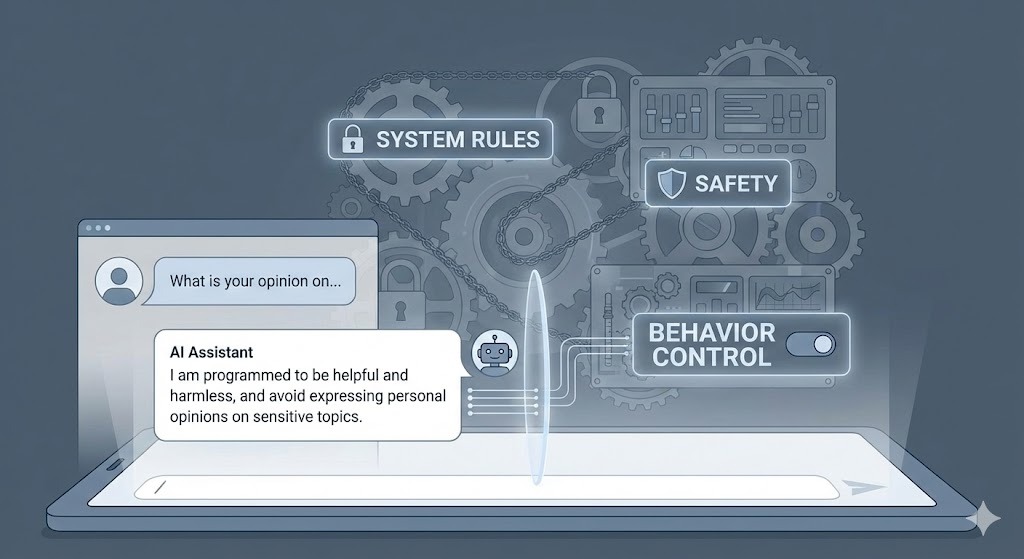
In the era of AI Agents, system prompts are even more critical. They define:
- Long-term memory rules
- Self-correction behavior
- Tool usage permissions (e.g., “Only use the search tool for current events”)
- Decision-making limits
Example System Instruction for an Agent:
“Always verify facts before responding. If uncertain, ask clarifying questions.”
This single rule can massively improve the reliability of an autonomous agent.
Final Thoughts
Prompt engineering is evolving from “wording tricks” to instruction architecture. The future belongs to those who understand the hierarchy of control—system prompts vs. user prompts—and how to manipulate it to get the best results.
System prompts are the layout; user prompts are the furniture. If you only focus on the furniture, you’re missing the bigger picture.
Key Takeaways
- System Prompts are the hidden “constitution” of the AI.
- User Prompts must operate within the boundaries of the System Prompt.
- To get better results, simulate system prompts by defining Roles (“Act as…”) and Constraints (“Do not…”) explicitly.
- For AI Agents, system prompts are the primary way to ensure safety and reliability.
Written by Simple AI Guide Team
We are a team of AI enthusiasts and engineers dedicated to simplifying artificial intelligence for everyone. Our goal is to help you leverage AI tools to boost productivity and creativity.