
Key Takeaways
- Stop talking to AI like a human; talk to it like a programmer giving instructions.
- Use 'delimiter' syntax (###) to separate instructions from data.
- Provide examples (few-shot prompting) to drastically increase accuracy.
- Chain of Thought prompting ('Let's think step by step') fixes most logic errors.
Be honest for a second.
Have you ever typed something into ChatGPT, Claude, or Gemini, waited for the response… and then just stared at the screen like: “What is this garbage?”
Maybe you even yelled at the AI. Maybe you thought: “AI is dumb, I knew it.” Or worse: “I’m dumb. I have no idea how to use this thing.”
If that feels familiar, you’re not alone. Most people in 2025 still suck at prompting.
Not because they’re stupid. Not because AI is broken. But because nobody ever taught us how to think and communicate clearly with a system that behaves nothing like a human.
In this blog, we’re going to fix that.
What You’ll Learn
- What prompting actually is (not what you think)
- How to use personas to instantly improve responses
- How context kills hallucinations
- Why output requirements are your secret weapon
- How to use few-shot examples to lock in your style
- Advanced techniques: Chain-of-Thought, Trees-of-Thought, Battle of the Bots
By the end, you’ll go from “AI keeps giving me trash” to “AI is literally a superpower when I talk to it correctly.”
(If you want a deeper dive into “world-building” metaphors for prompting, check out our Master Guide to Prompt Engineering).
Let’s go.
1. What Prompting Really Is (And Why You Keep Getting Trash)
Most people think prompting is just: “Typing a question into a box.” That’s not wrong, but it’s incomplete.
A better definition: A prompt is a call to action and a tiny program you write using natural language.
You’re not casually “chatting” with AI. You are programming a prediction engine with words. That’s the key mental switch.
Large language models (LLMs) like ChatGPT, Claude, Gemini, etc. are not “thinking” like humans. They’re doing one thing really, really well: Predicting the next token (word/fragment) based on patterns they’ve seen.
So when you say “Write an apology email,” that’s like saying: “Guess what I want… based on every apology email you’ve ever seen… with no extra guidance.”
Of course you get generic, boring, soulless output. But when you learn to control the pattern, suddenly everything changes.
2. Personas: Stop Letting “Nobody” Answer Your Prompts

Let’s say you need to write an apology email after a big outage at a company like Cloudflare.
If you simply type: “Write an apology email to customers about the outage,” you’ll get something like: “We sincerely apologize for any inconvenience…”
It sounds like it was written by nobody. Generic. Corporate. Forgettable.
Now try this instead:
“You are a senior Site Reliability Engineer at Cloudflare. You’re writing to both customers and engineers after a major global outage. Write a clear, honest apology email that explains what happened and what we’re doing to fix it.”
The difference is huge:
- The voice becomes more technical
- The explanation becomes more concrete
- The tone feels more human and accountable
Why? Because you gave the AI a persona. A persona tells the model whose knowledge to draw from, what tone to use, and what level of detail is appropriate.
Use personas for almost everything:
- “You are an experienced math teacher explaining this to a confused 15-year-old.”
- “You are a senior backend engineer reviewing junior code.”
- “You are a startup founder writing a brutally honest investor update.”
3. Context: The Secret to “No More Hallucinations”
Personas fix tone and perspective. But they don’t fix hallucinations.
LLMs are trained on data up to a certain cutoff. They don’t know everything and they will happily make things up if you leave gaps. If AI doesn’t know about the outage you’re writing about, it will invent one.
Less Context = More Hallucination.
Instead, serve the facts on a silver platter:
“Here is the real incident summary. Use only this information.
- On Dec 3, 2025, Cloudflare had a 45-minute global outage.
- It was caused by a bad database configuration rollout.
- ~20% of the internet was affected.
- We rolled back the change and restored traffic.
- We are now adding an extra approval step for database changes.
Using this context, write a clear apology email…”
Now the model isn’t guessing. It’s grounded.
Rule: If it needs to know something → paste it in or let it use tools. Also, tell it it’s allowed to say “I don’t know.”
4. Output Requirements: Tell It Exactly How the Result Should Look
A lot of “bad AI output” isn’t about intelligence. It’s about format.
You ask for an email, and it gives you a wall of text, rambling sentences, and no structure.
Fix this by defining the Output Specs:
“Write the email using these rules:
- Max 200 words
- Subject line + body
- Use short paragraphs and bullet points
- Tone: professional, apologetic, radically transparent
- No corporate buzzwords
- Include a simple timeline of events as 3 bullet points.”
Use output requirements for word count, tone, structure, format (JSON, Markdown), and audience level. The clearer the output spec, the less “AI weirdness” you get.
5. Few-Shot Examples: Show, Don’t Tell

This is where your prompting can go from “pretty good” to “scary accurate.”
Instead of describing the style you want, you show it.
“Here are two examples of the kind of status updates we send after incidents:
Example 1: [paste short, real incident email] Example 2: [paste another one]
Analyze the tone, structure, and level of detail. Now write a new apology email for this incident, matching this style.”
This is called Few-Shot Prompting. You’re giving the model a pattern to mimic. Instead of guessing your preferences, the AI has concrete samples.
6. Chain-of-Thought: Make the Model “Show Its Work”
Sometimes you don’t just want an answer. You want to see how it got there. This is where Chain-of-Thought (CoT) comes in.
You simply ask:
“Before giving the final answer, think step-by-step. Show your reasoning. Then output the final result.”
Benefits:
- Higher accuracy (it reasons instead of guessing)
- More trust (you see the logic)
- You can correct mistakes in the reasoning before the final answer
Many AI tools now have an “extended thinking” or “reasoning mode” toggle. Turning that on is basically automatic Chain-of-Thought. (For more on how AI is shifting from just generating text to actually doing things, read about The Agentic Shift).
7. Trees-of-Thought: Let AI Explore Multiple Paths
Chain-of-Thought = one path. Trees-of-Thought (ToT) = multiple paths at once.
Instead of “Write the best email,” you say:
“Brainstorm 3 different approaches to this apology email:
- One focused on radical transparency
- One focused on customer empathy
- One focused on future reassurance
Evaluate the pros and cons of each. Then combine the best elements into a final ‘golden path’ version.”
This is amazing for strategy, messaging, UX ideas, and marketing angles. You get multiple perspectives, then a merged best answer.
8. Battle of the Bots: Make AI Compete Against Itself
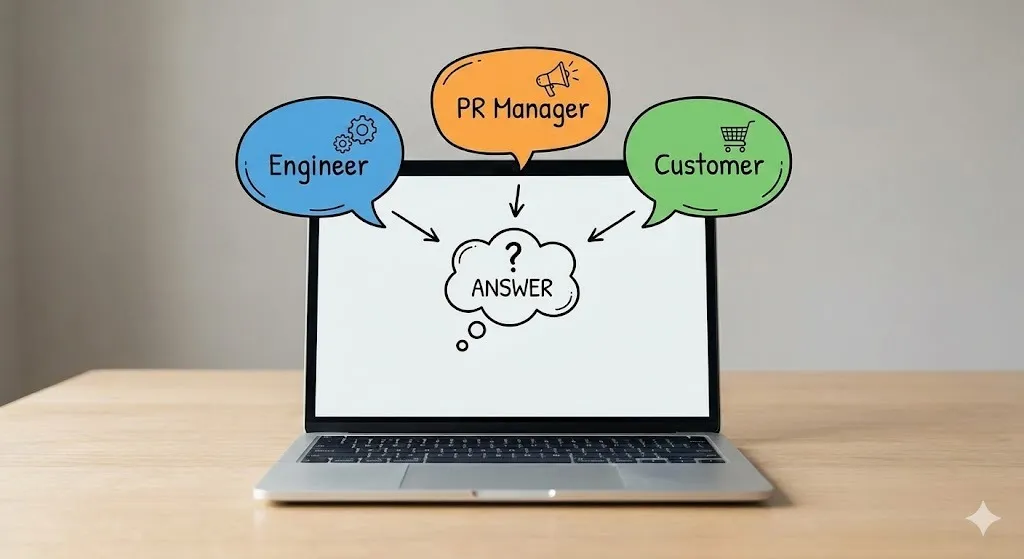
This one is fun and powerful. You make the model simulate multiple personas and let them compete.
Example Setup:
“We’re going to run a 3-round competition:
- Persona A: Senior Site Reliability Engineer
- Persona B: PR Crisis Manager
- Persona C: Frustrated Customer
Round 1: A and B each write their own version. C critiques them. Round 2: A and B revise based on feedback. Round 3: A, B, and C collaborate to write one final version.”
Why this works: AI is very good at editing and critiquing. You force it to explore multiple styles instead of collapsing to one generic answer.
9. The Meta-Skill Behind All Good Prompts: Clarity of Thought
You can memorize Personas, Context, Few-Shot, and CoT… but none of it works well if your thinking is messy.
Most “bad prompts” are just unclear thinking written down.
Great prompt engineers do this before they write the prompt:
- Define the Goal: What do I actually want at the end?
- Define the Constraints: Who is this for? What format?
- Define the Process: What steps should it follow?
If you can’t explain what you want clearly to yourself, you can’t explain it to AI.
Good prompting doesn’t make AI “smarter.” It makes you clearer.
10. Practical Habits to Level Up
Here’s how to turn this into daily practice:
- Think on paper before you prompt. Open a note and write the goal, audience, and definition of “good.”
- Save your best prompts. Create a library in Notion/Obsidian. Reuse and refine.
- Use AI to improve your prompts. Ask it: “Rewrite this as a clear, structured AI prompt using best practices.”
- Always review critically. Does it match the facts? Does it hallucinate? If not, refine.
Start treating AI like a junior engineer who needs clear instructions, and you’ll stop getting trash and start getting magic.
Written by Simple AI Guide Team
We are a team of AI enthusiasts and engineers dedicated to simplifying artificial intelligence for everyone. Our goal is to help you leverage AI tools to boost productivity and creativity.